HTML is the foundation
Whether you work with React, .NET, PHP
If you’re building for the web, you’re building HTML
Unless you’re using Flash, and that’s a different story
Semantic HTML introduces meaning to content
<!-- Semantic Button -->
<button onclick="doSomething()">Click Me!</button>

<!-- Non-Semantic Button -->
<div class="button" id="doSomethingButton">Click Me!</div>
<script>
document.getElementById('doSomethingButton').addEventListener('click', () => {
	doSomething();
});
</script>
<!-- Presentational Element -->
<b>This text is bold</b>

<!-- Semantic Element -->
<strong>This text is bold, and screen readers will tell the user it's important</strong>
Not all HTML elements are semantic
Generic container elements are fine for their own particular Unless
Some elements are for presentational purposes only as well
Eg. b and strong willboth make text bold by default but the strong tag will also emphasise the text for screen readers, similarly to the way increased font weight does for visual readers
	<h1>Page Title</h1>
	<p>Lorem ipsum dipsum squiggily hokey pokey.</p>
	<a>Click here!</a>
	<img src="my-image.jpg">
	<ul>
		<li>List Item</li>
	</ul>
	<ol>
		<li>Numbered list item</li>
	</ol>
Some elements that we won’t cover as they’re assumed prior knowledge
<header> <!-- Content is here --> </header>

<main> <!-- Content is here --> </main>

<footer> <!-- Content is here --> </footer>
Start off with some structure landmark elements
Header, footer and main are typically found directly inside the body, with all page content inside them
<article></article>

<section></section>

<aside></aside>

<nav></nav>
Combine these with the previous 3 and most of our generic containers can be replaced
<header>
	<h1>Site Title</h1>
	<nav>
		<a>Menu item</a>
	</nav>
	<form>
		<input name="search">
		<button>Search</button>
	</form>
</header>
The header represents introductory content
This may be a heading element, logo, search form and navigation menus
<footer>
	<p>© Copyright @amys_kapers 2021</p>
</footer>
<main>
	<h2>Heading</h2>
	<p>Content here</p>
	<img src="my-image.png" />
</main>
The main element represents the dominant content of the document body
Partially supported in IE, this means it doesn’t have default browser styling which you can fix by explicitly setting the display property on it
<body>
	<header></header>

	<main></main>

	<footer></footer>
</body>
<article>
	<h2>Post title</h2>
	<p>Post content is here. It's really interesting, you should definitely keep reading</p>
</article>
Article is a self contained section
Something that can be independently distributable or reusable
For example, a blog post or a news article
Pro tip, you can even include a header and footer inside an article
<section>
	<h2>Section Title</h2>
	<p>This section makes sense all by itself.</p>
	<p>But it also makes sense as part of the whole page.</p>
</section>
Similiar to the article element
Represents a self contained section
<aside>
	<p>This content is related to the article it's in, and is probably off to the side of the page.</p>
</aside>
<nav>
	<a href="/">Home</a>
	<a href="/about">About</a>
	<a href="/contact">Contact</a>
</nav>
ARIA Accessible Rich Internet Applications
When building things accessibly we often turn to using ARIA attributes
Will touch on ARIA a bit more in the accessibility section
ARIA is a set of roles and attributes that the W3C (World Wide Web Consortium) defined as part of the Web Accessibity Initiative (WAI) to help make web experiences more accessible
<div role="header"> </div>

<div role="button" aria-label="Click me"> </div>

<div aria-hidden> </div>
aria-label and role
aria-hidden and aria-invalid
Includes a bunch of states and properties we can use to provide information for screen readers and assistive technologies
And while it is good to have this ability, a lot of this has been baked into HTML
<div class="nav_menu" role="navigation">
	<!-- Navigation links go here -->
</div>

<nav>
	<!-- Navigation links go here -->
</nav>
First rule of ARIA use : If you can use a native HTML element with the semantics and behavour already built in , instead of repurposing an element and adding an ARIA role, state or property then do so .
W3C ARIA Guidelines
<input type="text" name="quokka_name" placeholder="What is the Quokka's name?" />
	<!-- <input type="text" name="quokka_name" placeholder="What is the Quokka's name?" /> -->

	<label
		for="name"
	>
		What is the Quokka's name
	</label>
	<input
		type="text"
		name="quokka_name"
		id="name"
	/>
	<label for="aussie_animals">
		Which Australian animal do you think is the best?
	</label>
	<input
		type="text"
		list="animals"
		id="aussie_animals"
		name="best_animal"
	/>
	<datalist id="animals">
		<option value="Quokka" />
		<option value="Koala" />
		<option value="Platypus" />
		<option value="Echidna" />
		<option value="Kangaroo" />
		<option value="Camel" />
	</datalist>
	<label for="quokka_coolness">How cool are Quokkas?</label>
	<input
		type="range"
		name="coolness"
		id="quokka_coolness"
		max="10"
		step="1"
	/>
	<label for="quokka_coolness">How cool are Quokkas?</label>
	<input
		type="range"
		name="coolness"
		id="quokka_coolness"
		max="10"
		step="1"
		list="quokka_coolness_list"
	/>
	<datalist id="quokka_coolness_list">
		<option value="0">Not at all cool</option>
		<option value="5">Moderately cool</option>
		<option value="10">Coolest animal ever</option>
	</datalist>
	<img
		src="/img/rottnest.jpg"
		alt="Rottnest Island in Western Australia, with white sandy beach and the clear blue water dotted with small rocky reef sections along the edge"
	/>
	<img
		src="/img/stock_image.jpg"
		alt=""
	/>
	<figure>
		<img src="/img/rottnest.jpg" alt="" />
		<figcaption>Rottnest Island, WA</figcaption>
	</figure>
	<picture>
		<source
			srcset="/img/rottnest-900_x_500.jpg"
			media="(min-width: 900px)"
		/>
		<source
			srcset="/img/rottnest-400_x_300.jpg"
			media="(min-width: 600px)"
		/>
		<source
			srcset="/img/rottnest-200_x_150.jpg"
			media="(min-width: 400px)"
		/>
		<img src="/img/rottnest.jpg" alt="" />
	</picture>
	<picture>
		<source
			srcset="/img/rottnest.avif"
			type="image/avif"
		/>
		<source
			srcset="/img/rottnest.webp"
			type="image/webp"
		/>
		<img src="/img/rottnest.jpg" />
	</picture>
	<img
		src="https://assets.codepen.io/707165/Layout+Map.png"
		width="540"
		height="540"
		usemap="#image_map"
	/>
	<map name="image_map">
		<area
			alt="Header Section"
			title="header"
			href="https://developer.mozilla.org/en-US/docs/Web/HTML/Element/header"
			target="_blank"
			coords="0,0,540,100"
			shape="rect"
		/>
		<area
			alt="Content Section"
			title="main"
			href="https://developer.mozilla.org/en-US/docs/Web/HTML/Element/main"
			target="_blank"
			coords="79,100,540,488.5"
			shape="rect"
		/>
	</map>
	<video
		controls
		muted
		loop
	>
		<source
			src="/img/video.mp4"
			type="video/mp4"
		/>
		<p>Sorry, your browser doesn't support this video.</p>
	</video>
	<video
		controls
		muted
		loop
	>
		<source
			src="/img/video.mp4"
			type="video/mp4"
		/>
		<track
			default
			kind="captions"
			srclang="en-AU"
			src="/img/subtitles.vtt"
		/>
		<p>Sorry, your browser doesn't support this video.</p>
	</video>
	<dl>
		<dt>Size</dt>
		<dd>40 to 54 cm</dd>

		<dt>Weight</dt>
		<dd>2.5 to 5kg</dd>

		<dt>Lifespan</dt>
		<dd>About 10 years in the wild and up to 15 years in captivity.</dd>
	</dl>
	<details>
		<summary>Can I have one?</summary>
		<p>Quokkas are only native to one island in Australia, and don't do well outside of their natural habitat. They're not great as pets, it would be similar to keeping a squirrel as a pet.</p>
	</details>
	<details name="faq">
		<summary>Are Quokkas real?</summary>
		<p>Is Australia real? Are we even real? What is real? Are we all just a figment of someone's imagination? Or part of the matrix?</p>
		<p>Yes, Quokkas are real. They seem too good to be true, and a bit too weird (like most animals in Australia, I'm still convinced that platypus' are a myth), but they do genuinely exist.</p>
	</details>

	<details name="faq">
		<summary>Can I have one?</summary>
		<p>Quokkas are only native to one island in Australia, and don't do well outside of their natural habitat. They're not great as pets, it would be similar to keeping a squirrel as a pet.</p>
	</details>
	<address>
		1 Henderson Ave<br/>
		Rottnest Island, WA<br/>
		Australia 6161
	</address>

	<address>
		<a href="tel:+61893729730">(08) 9372 9730</a>
	</address>
The power of the Web is in its universality. Access by everyone regardless of disability is an essential aspect
Tim Berners-Lee, Inventor of the internet
What does it mean to make things accessible, what does it mean for us
When we create technologies, whether software, hardware or something else
Anyone can use and interact with it, using whatever means they prefer
Given wahtever capabilities they have
Mean the internet, the technologies, the solutions we’re creating are made for everyone and with everyone in mind
But how is that relevant to us?
https://www.w3.org/mission/accessibility/ Why is Accessibility Important? For better or worse, the people who design the touchpoints of society determine who can participate and who is left out, often unwittingly
Kat Holmes Mismatch: How Inclusion Shapes Design
All of us here today are in a very important position, one to make a difference to people around us
We have the power to make things better for people around us
To decide who can participate and who is left out
We can all make a difference in people’s lives
Inclusion makes us more-effective more innovative better happier
But let’s just for a second ignore that we shouldn’t be excluding people
What else does accessibility and inclusion do for us?
A study in 2018 by the Disability Council of Australia and Suncorp found that inclusive teams and workplaces where
10 times more likely to be highly effective
9 x innovative
4 x provide excellent customer service
4 x to stay at a company
19 x more satisfied with their jobs
https://www.dca.org.au/research/benchmarks-national-diversity Accessibility is a human right
We’re seeing drastic changes to legislation and regulations around the accessibility and Inclusion
Ccuntries all over are ensuring their laws are up to date as technology becomes more intermingled with our day-to-day
Not a case of if, but when we’re going to be legally required to make sure what we build is accessible
And the secret is…
It’s easier to do it right now
It’s easier it make changes and improvements now, as we build things
To include it from the very beginning, rather than trying to stick a band aid on it later
How many of you know if what you’re currently building is accessible? Do you know if this is something you’re currently doing? Or working towards? Or talking about?
Every inaccessible webpage tells [people with an impairment] “you aren’t welcome in this world” .
If you don’t know whether your website or app is accessible, it’s not. Start learning.
Larene Le Gassick, Accessibility Engineer Who Benefits from Accessibility?
When we think of accessibility, we think of people with permanent impairments
It could be someone who was blind or deaf, someone who was in a wheelchair or missing use of a limb
Global Population with a Permanent Impairment
The world bank estimates that these people, people with permanent impairments are at least 15% of the global population
That’s over 1.2 billion people
Again these are what we refer to as permanent impairments
Which are just a small subset of people with impairments
Permanent impairments are not likely to be resolved, are long term, like a missing or non functioning limb
There are also temporary impairments, which can’t be resolved quickly but will resolve in the short to long term, for example a broken arm
And finally we have situational impairments which are the result of the environment alone and can be resolved by leaving it, for example holding a child or pet
Although not all impairments are permanent, and may not have as great an impact on a person’s life, they can all be made easier by accessibility improvements we make
Impairments are then in one of 4 different areas
Hearing, have imapired, limited or no hearing in one or both ears
Vision, have impaired, limited or no vision (could include things like colour blindness or glaucoma)
Mobility, have impaired, limited or no movement or control of movement which could include conditions like arthritis or parkinsons that affect fine motor control
Cognitive, which includes anything that impacts how information is processed and includes a wide range of conditions such as dyslexia, ADHD, Autism, limited language proficiency, migraines, epilepsy and more
Who benefits from Accessibility?
So again we ask, who benefits from accessibility?
Taking into account permanent, temporary and situation impairments
Considering impairments that impact hearing, vision, mobility and cognition
Who are we helping by making things more accessible and who are we excluding by not?
Everyone.
When we make things accessible, everyone benefits
Every single one of us has at some point or will at some point benefit from an accessibility improvements
I mean think about the last time you avoided taking the stairs and used a lift or a ramp instead?
Broken arm/hand Ear Infection Migraine ESL Dyslexia Loud environment Sunlight/Glare Glasses Colour Blind ADHD Autism Epilepsy Old browser/Device Reading Mode/Small Screen Slow Internet Holding Child/Pet Multi-tasking Virtual Assistant AI Carpel Tunnel No Headphones Big Fingers Night Mode Limited Fine Motor Control Easily Distracted
Broken an arm/finger & limited/no motion
Had an ear infection?
Had a migraine
Have lower proficiency in the language used
Dyslexia
Been in a loud situation such as a concert, public transport or screaming children
Had glare on your screen
Worn glasses, have colour blindness, cataracts
Used an older browser, text only device, small screen or slow internet connection
Had limited access of one arm/hand while holding a child, pet or multi-tasking
Used a virtual assistant or AI assistant
Had carpel tunnel or developer elbow
Forgotten your headphones
Tried to press a tiny button with big fingers
Used features such as night mode or colour shifting screens
Limited fine motor control, difficulty using a mouse
Difficulty concentrating or easily distracted by animations, videos or other parts of a page
Broken arm/hand Ear Infection Migraine ESL Dyslexia Loud environment Sunlight/Glare Glasses Colour Blind ADHD Autism Epilepsy Old browser/Device Reading Mode/Small Screen Slow Internet Holding Child/Pet Multi-tasking Virtual Assistant AI Carpel Tunnel No Headphones Big Fingers Night Mode Limited Fine Motor Control Easily Distracted
These are all situations that beenfit from accessibility improvements
Whether it be captions, clear design, non-complex language, thoughtful interface layout
Or one of many more small touches that can make billions of people’s lives better and easier
And more importantly it can make them feel like they’re being thought of and included in what we’re building
A study done by Microsoft and Forrester looked at users with impairments who abandon online purchases due to accessibility issues
1 million views/day → €2.3 million/year
The study estimated that an average European company with a website that gets 1 million site visits per day
If they made their website accessible they could increase their revenue but an additional €2.3 million per year
That’s over $3.8 million AUD
15% of the world
And it’s not just Europe
Earlier we looked at the 15% of the global population with an impairment
1.2 billion people
This comes to over 1.2 billion people in the world
These people can make a big difference to your bottom line if they’re able to use your product
Forbes has estimated
These people, combined with their friends and family who won’t support a company that doesn’t support them
$13 trillion each year
Have an estimated disposable income of $13 trillion dollars each year
1,000,000 sites
Each year, a not-for-profit organisation called WebAIM (Web Accessibility in Mind), they do a study on the top million homepages
In 2023, from those 1 million websites…
49,991,225 accessibility issues
96.3% failed
Of those 1 million websites, 96.3% failed to meet accessibility guidelines
That means that more than 96% of these websites were built without considering the billions of people who need accessibility features to use them
This audit was also done using automated testing and therefore not able to test all of the criteria, so chances are this number of inaccessible websites is higher
EAA European Accessibility Act
Another reason to consider a11y is the European Accessibility Act
Comes into effect end of June 2025
Applies to ICT products and services, including websites, apps, software, hardware and more
As Norway isn’t a member of the EU, it doesn’t technically apply, however if your company has any clients who are based in EU countries, you’ll still need to comply
Disclaimer: Not a Lawyer
While I do touch on some topics, there are a lot of legal aspects and implications that I am not remotely qualified to advise on
If the EAA (or another similar legislation) applies to you, or if you want to clarify what applies to you, the first step from your company should be to speak to a lawyer to make sure you’re getting accurate info to work with
Web Content Accessibility Guidelines
To help ensure websites and apps are accessible, the World Wide Web Consortium (W3C) has developed a set of Guidelines, the Web Content Accessibility Guidelines
These guidelines are developed by industry professionals, some staff and some community members, all of which are developed publicly and openly
WCAG 2.2
The most current version of the guidlines is WCAG 2.2 which was published in October
Each version updates to take into account new technologies, for example 2.1 introduced guidelines around animations and motion, while 2.2 introduced guidelines around drag and drop and authentication
Similarly version 3 is being worked on at the moment and will incorporate additional guidelines around mobile devices and more improvements for cognitive impairments
A - AA - AAA
These guidelines cover 3 levels of conformance, A, AA and AAA
A is basic accessibility, if you’re not meeting this level people with impairments will have serious issues or be incapable of using it at all
AA goes a step further and ensures that people with impairments can use it, although it may not be convenient. If you’re working towards an accessibility standard, this is likely what you’re working towards
Finally AAA is the highest level, is typically met by organisations who’s primary user are people with impairments
Whatever role you are in, it’s worth knowing a bit about these guidelines, at the very least that they exist, what level you have to meet and how to test against them
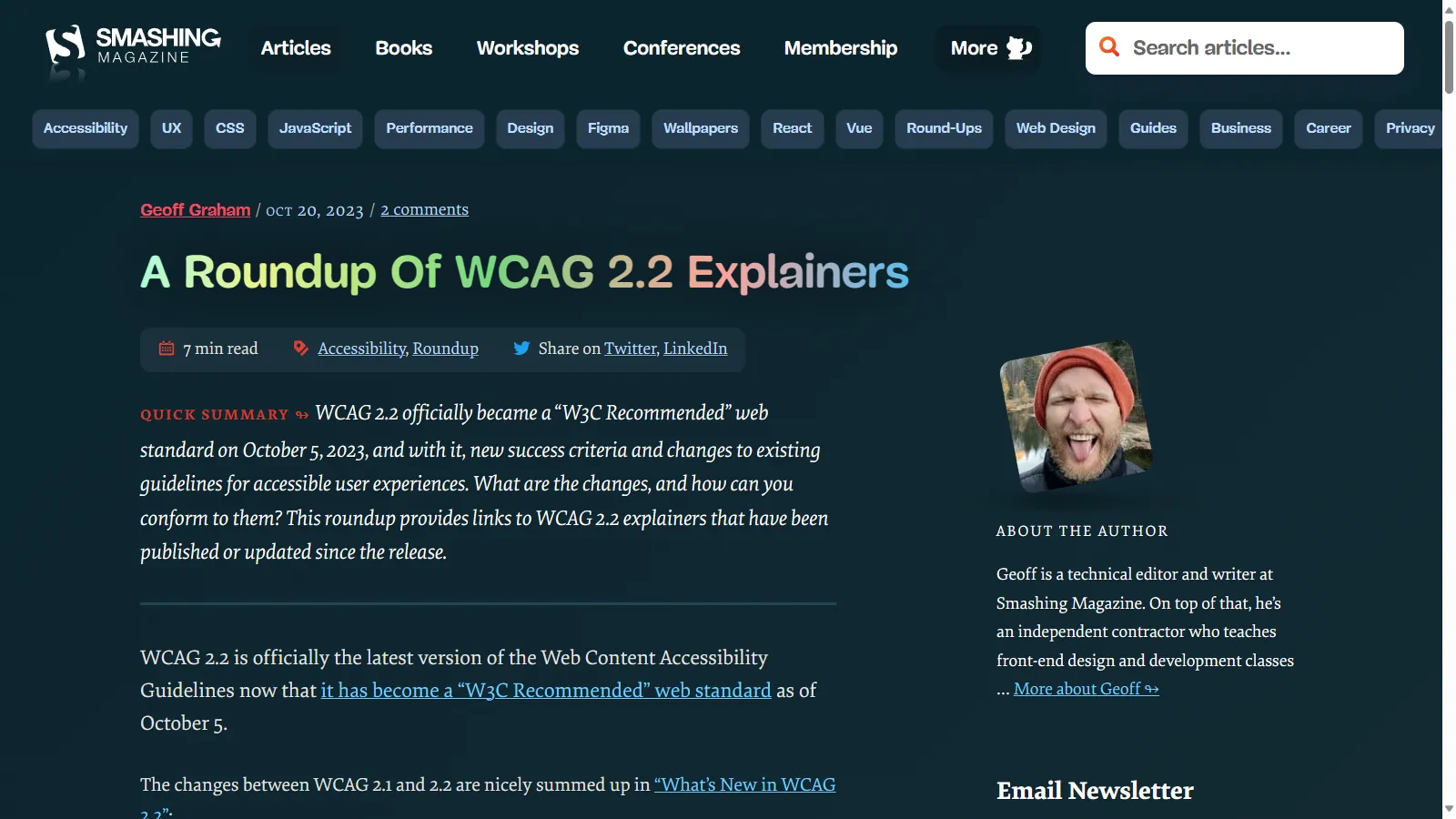
smashingmagazine.com/2023/10/roundup-wcag-explainers
As I mentioned, WCAG 2.2 came out a few months back, there are a bunch of great explainers that go through the guidelines and what the changes are
A little can go a long way
A little change can make a huge difference
If you’re using a component library, there’s a chance that one small fix can resolve hundreds or thousands of issues
49,991,225 accessibility issues
Let’s take a look again at the data from the WebAIM million audit
49 million, 991 thousand, 225 accessibility issues
96.1% easy fixes
Of those, 96.1% are easily fixable
48,041,567 easy fixes
That’s over 48 million issues that can be fixed with a small change
Colour Contrast
Missing Alt Text
Empty Links/Buttons
Missing Form Labels
Missing Document Language
These issues were from insufficient colour contrast, missing alternative text on images, buttons and links that were empty or didn’t include a label, missing labels on form inputs and missing document language
<!DOCTYPE html>
<html>
	<!-- Page Content -->
</html>
Doctype is a really easy fix
It’s literally the first line of a HTML file
Nearly 1 in 5 websites tested were missing this
Colour Contrast
More than 60% of the issues were insufficient colour contrast
WCAG guidelines have a minimum ratio of 4.5:1 to meet AA standard, and 7:1 to meet AAA standard
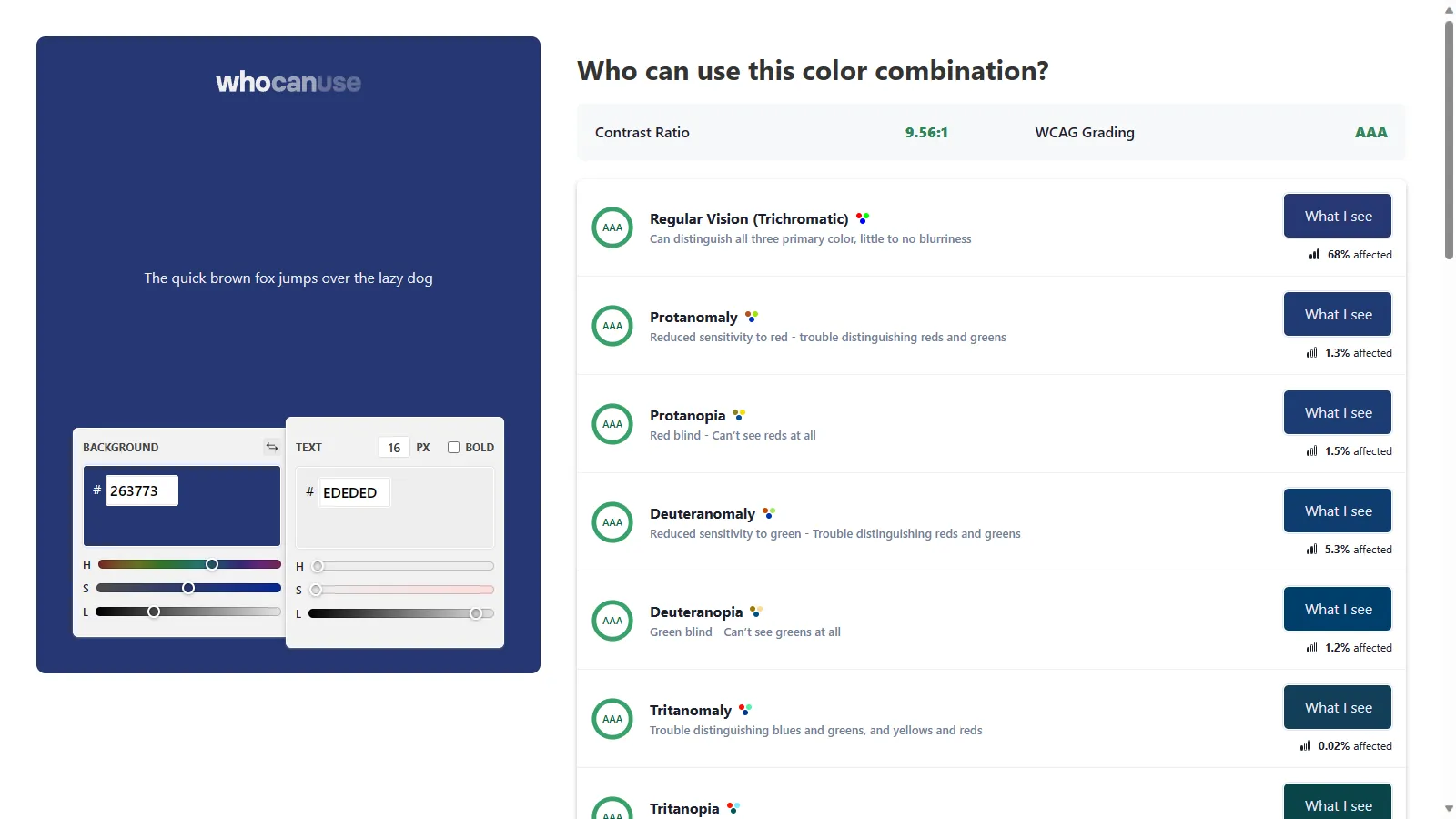
https://webaim.org/projects/million/ whocanuse.com
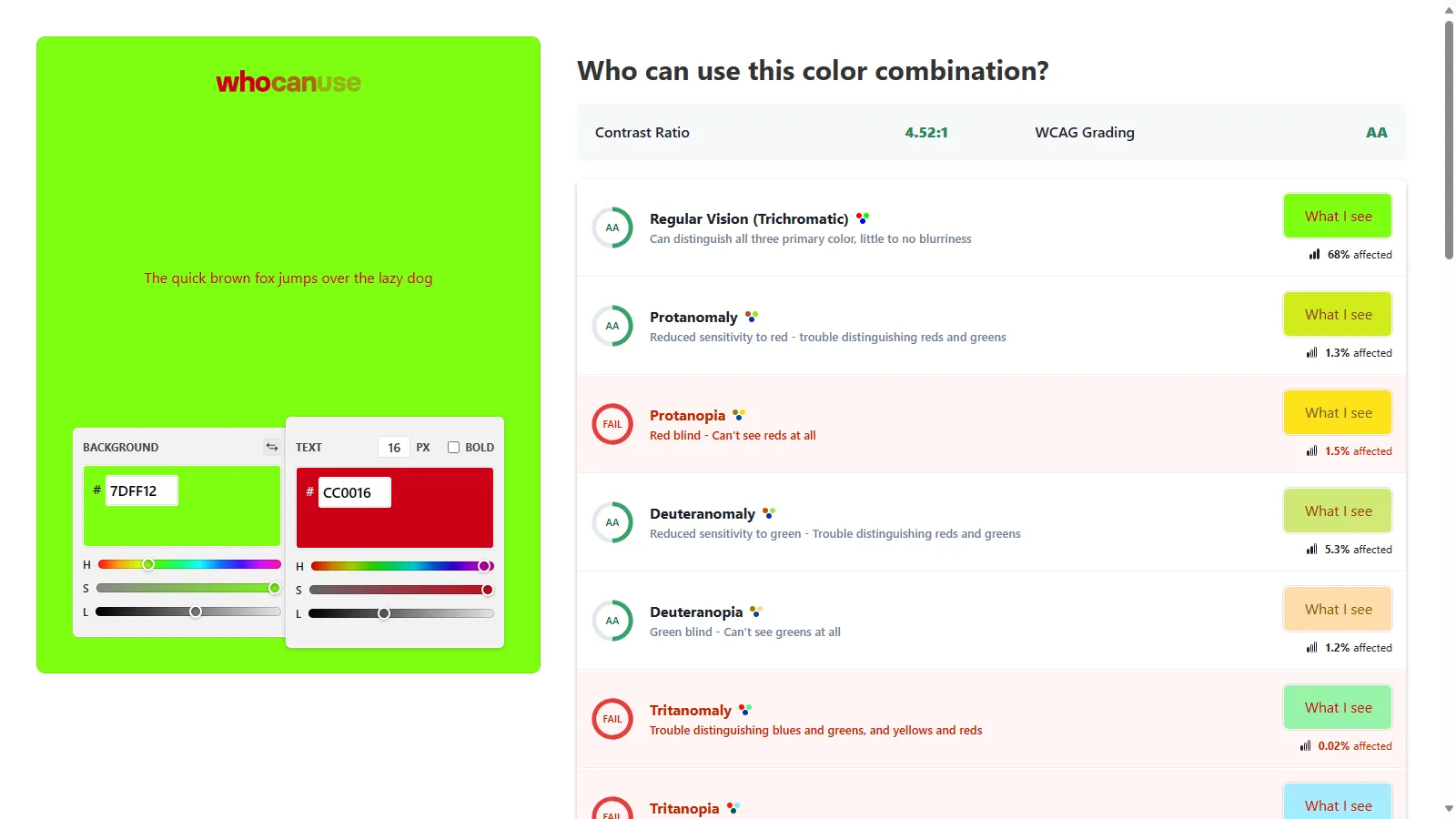
To help determine the colour contrast, there’s a great tool Who Can Use, which not only calculates the difference between 2 colours but simulates several different vision impairments and compares those too
whocanuse.com
For example, red and green may technically pass AA standard with a ratio of 4.5:1
But if people have a type of colour blindness that affects reds or greens, it may fail
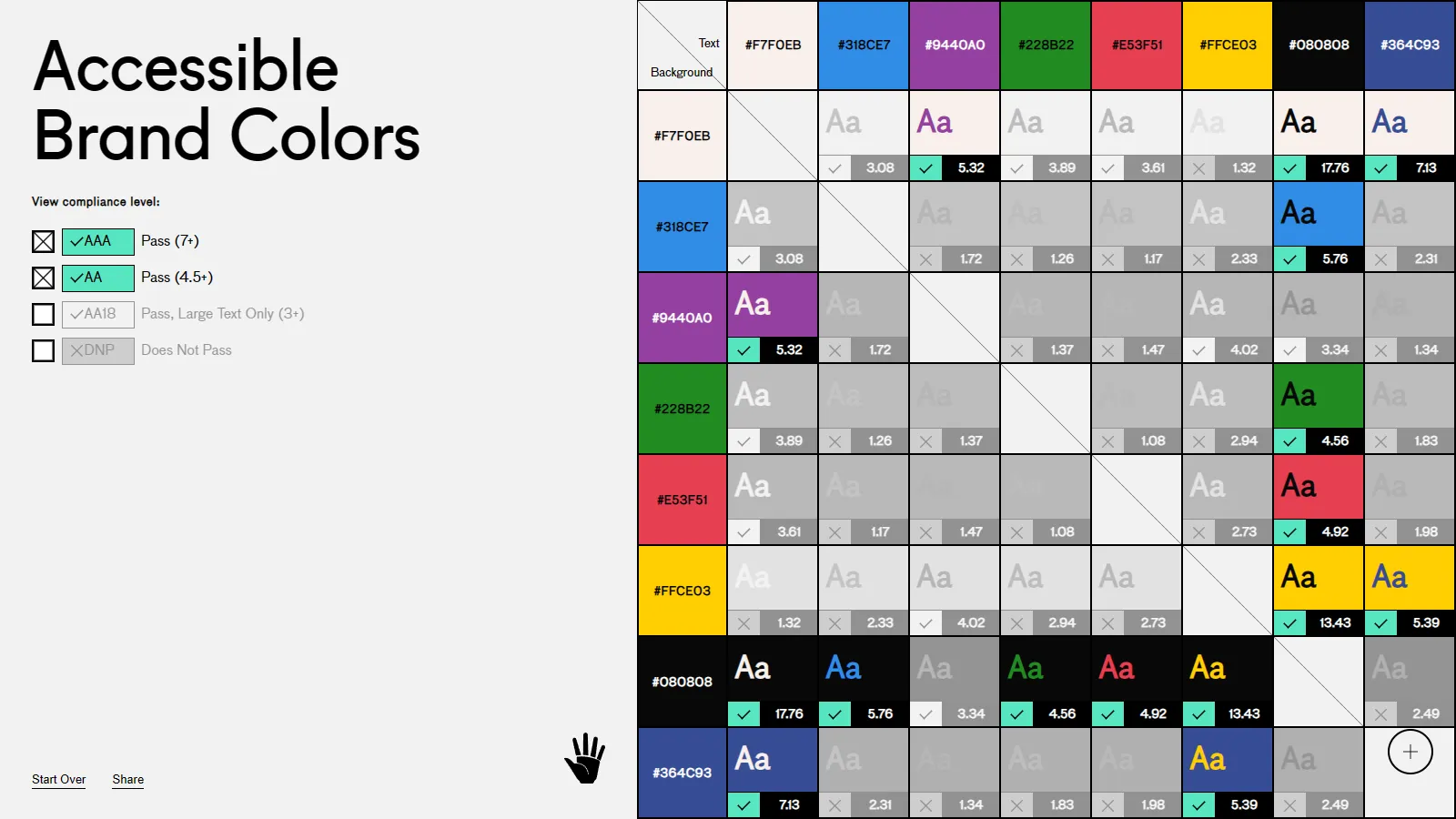
abc.useallfive.com
There are also plenty of tools out there that can compare brand colours against one another
This is useful to know which colours can be used together and still pass the colour contrast guidelines
Alt Text
Having a text alternative for your images
People who can’t see the image miss it
And screen readers or assistive technologies can’t describe it to them
And if a picture is worth a thousand words that’s a lot of content they’re missing
<img src="my_dog.jpg" />
If you don’t have one, the screen reader will read out the file name
Which for something like this isn’t as bad, although doesn’t give much information
<img src="/img/3c87e3e6bd8aa927c30257a/07cf2d3891f54ca470d1d9f0.jpg" />
And most of the time our images have automatically generated names or paths, which is not remotely helpful and a poor user experience
<img src="image.jpg" alt="{content}" />
Instead we can an alt attribute to the image, giving the user information about the image
This doesn’t necessarily mean describing the entire image, but describe the important parts of the image, the intent behind it’s inclusion
<img src="image.jpg" alt="" />
If an image isn’t conveying any information, and is purely presentational
We use an empty alt attribute, this lets assistive technologies know that it’s not important and they’ll ignore it altogether
Captions & Descriptions
As well as text descriptions for images, make sure that your other media has a text alternative as well
Videos and audio recordings can be given captions and transcripts
Again these are beneficial for people other than just those with hearing impairments, I much prefer watching videos with captions, they help me follow what’s happening better
And if I don’t have headphones, I can still watch a video with captions when I’m on public transport or if I’m at a conference and there’s a boring talk on
If you’re relying on graphs and charts, make sure there’s a text description for them as well, so people who can’t see them can still understand the information
	<canvas aria-labelledby="label" >
		<!-- Chart Here -->
	</canvas>
	<p class="hidden" id="label">
		Bar chart that shows that revenue for quarter 4 has doubled from $1 million to $2 million compared with the previous quarter due to accessibility improvements that helped widen customer base.
	</p>
You can use attributes like aria-describedby which allow you to link a description with a visual element like an image
This description doesn’t need to be visually hidden either, it may be a paragraph of content that already exists explaining it
Form Labels
Make sure that your form inputs have labels associated with each input
Even if the design doesn’t display them, you can hide the labels visually, and keep them linked so that screen readers know what each input is
<label for="i_1">
	Enter Information
</label>

<input id="i_1" name="info" placeholder="Info"/>
You can link labels with inputs using the for and id attributes
The id attribute is separate from the name, and can be randomly generated
The placeholder attribute, while it does display in the field, is not announced by or even recognised by screen readers
Screen Readers
It helps to understand what people experience when using a screen reader
There are free or paid options, plus built in to Windows, MacOS, Android and iOS
Try opening up the screen reader
Navigate around the webpage, see what you can find, what you can do, what it tells you about what you can see on the page
If you’re feeling up to it, try closing your eyes and see if you can work things out without actually seeing the screen as well
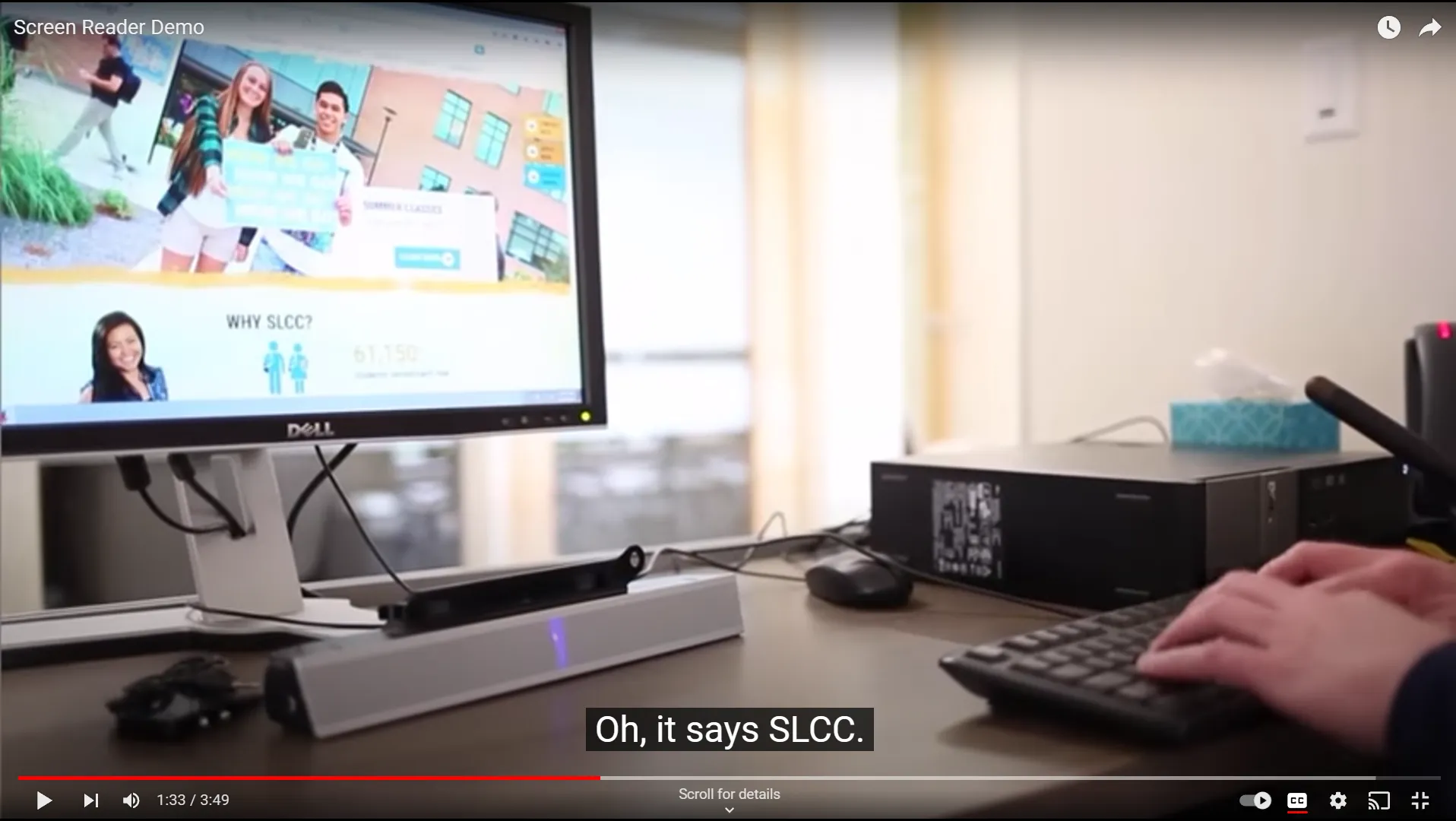
VIDEO
youtu.be/q_ATY9gimOM
Here we have someone who uses a screen reader every day, who relies on it to use their computer
Have a listen to how fast the voice is
youtu.be/q_ATY9gimOM
So get in the practice of using a screen readers
And investigate getting someone in to do it where you can
Automated Testing
If you’ve got an existing pipeline for automating tests, look at integrating some accessibility testing in there
Start running validations and check to make sure you’re not introducing new issues
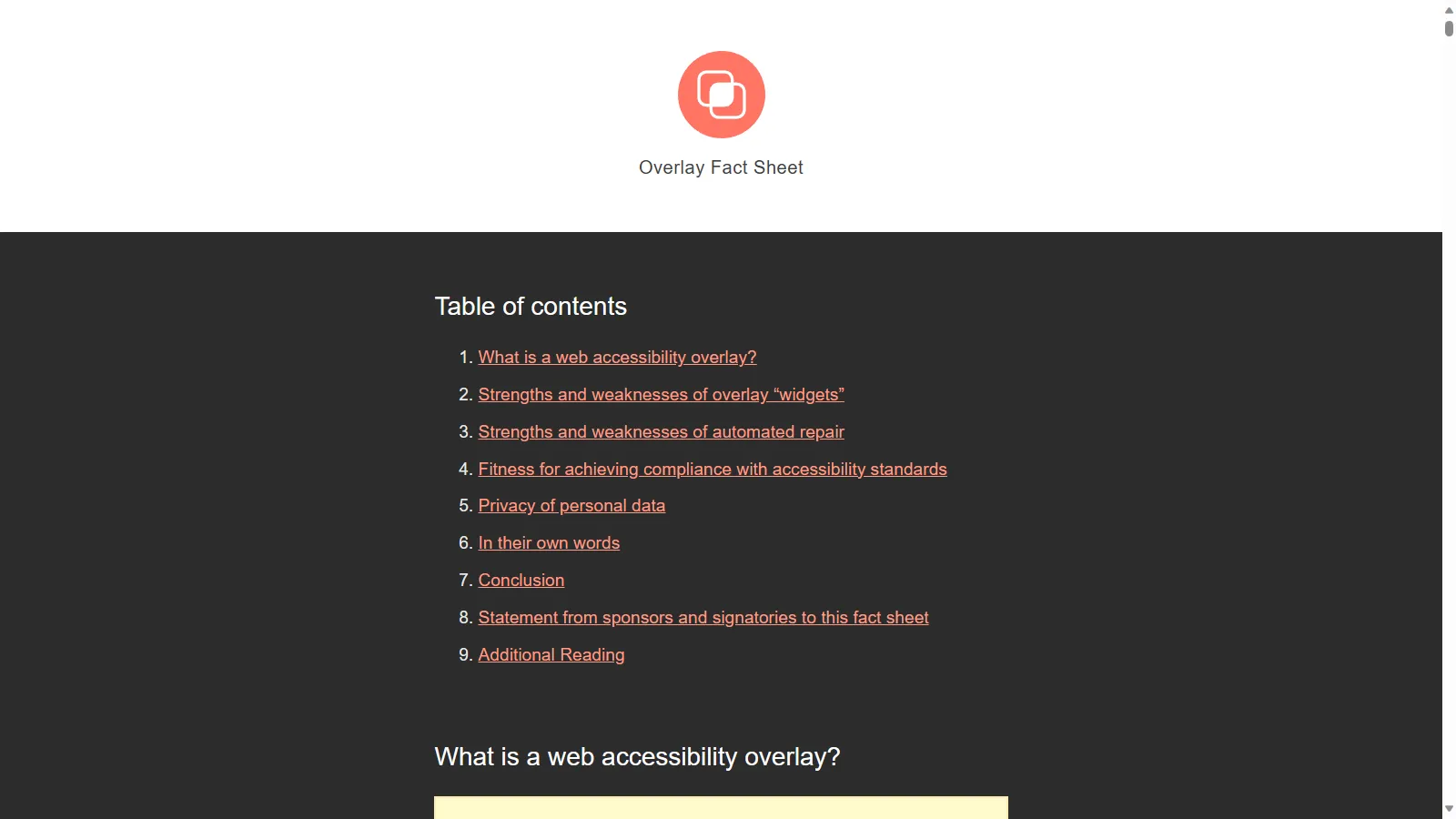
overlayfactsheet.com
Not only do they not fix things and make a website accessible, in many cases they make it significantly worse and override any existing settings the users might already have
They also open a site up to security concerns and potential data breaches
There’s a great factsheet about it at overlayfactsheet.com, which also includes quotes of support from accessibility experts all over